- WhatsApp integration
- Google Calendar
- Two-factor sign-in
- Website integration
- Commission calculator
- OVB career plan
- Appointment reminders
- Birthday greetings
- QR feedback form
- Company presentation
- Roles and permissions
- GDPR data export
The CRM is not software off the shelf, it is built around the way Steven Donke works. Everything that used to live in spreadsheets, sticky notes and two separate calendars now has a fixed place. Here is the long version of what the system takes care of day to day.
Signing in and security
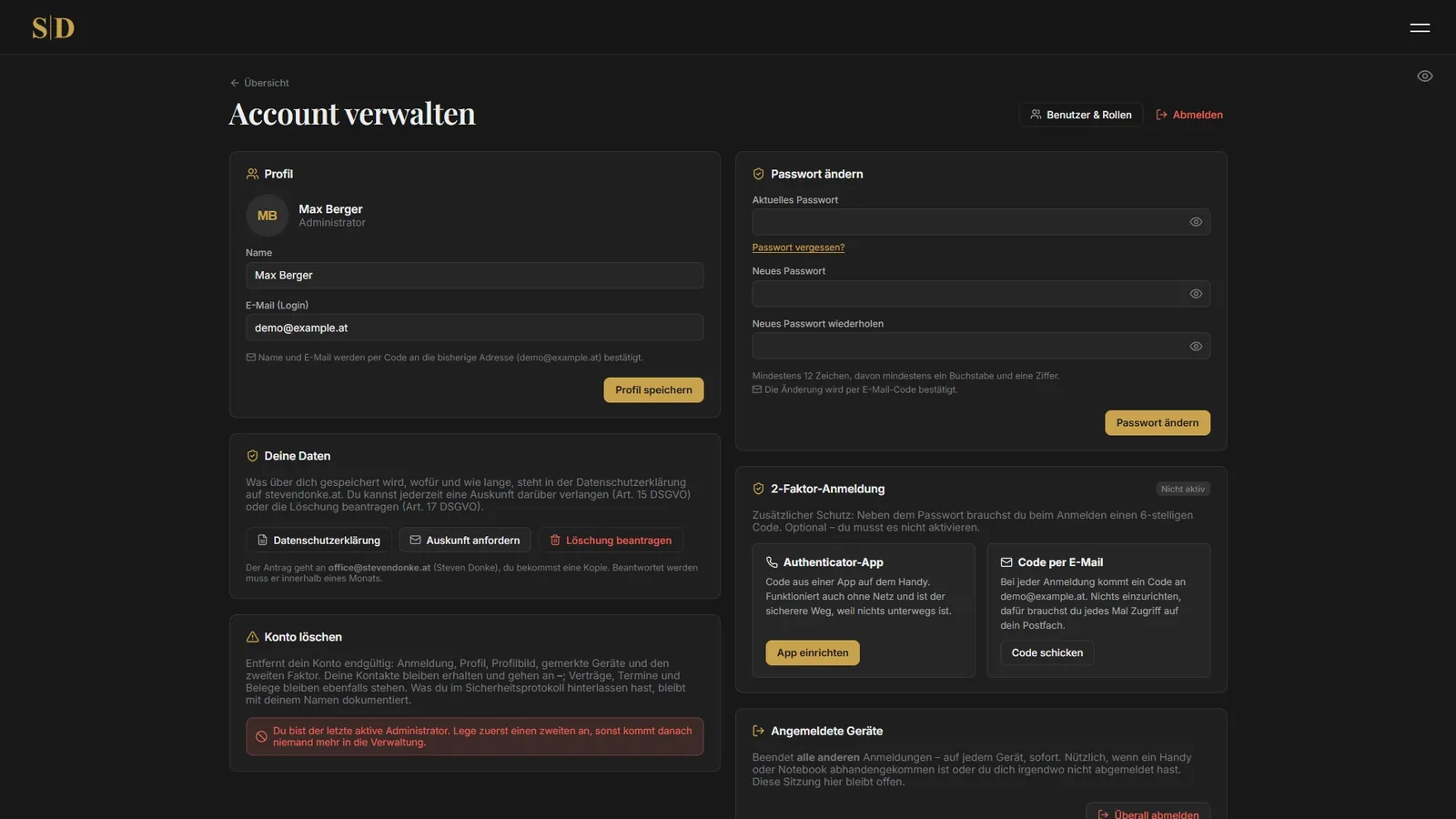
Everyone signs in with a password, followed by a six digit code. Whether that code comes from an authenticator app or by email is each user's own choice. On your own machine the browser can be remembered as trusted, and then no code is asked for there for 15 days. The password is still required, and every remembered device can be revoked again from the account page.
Anyone trying borrowed credentials does not get far. After eight failed attempts the account is locked for a quarter of an hour, and the system counts per internet connection as well. A code works exactly once. Sessions expire after two hours without activity, and after 24 hours at the latest no matter what.
There is also a privacy screen. One click on the eye hides names, figures and amounts. That helps when somebody is standing next to the desk or the screen is visible during a consultation. The setting survives a reload.
Roles and ownership
The system is built for several people. Every user holds exactly one role, and every role bundles the rights that person actually needs. Only the administrator with full access ships with the system, everything else is put together by hand. Ready made roles nobody needs would only get in the way.
Ownership decides who sees which contacts. Anyone without full access really does see only their own, in the list, in every figure and when calling up an address directly. That is checked on the server, because a hidden button alone would be pure cosmetics.
Every change is written to a log, with user, time, record and internet connection.
The dashboard
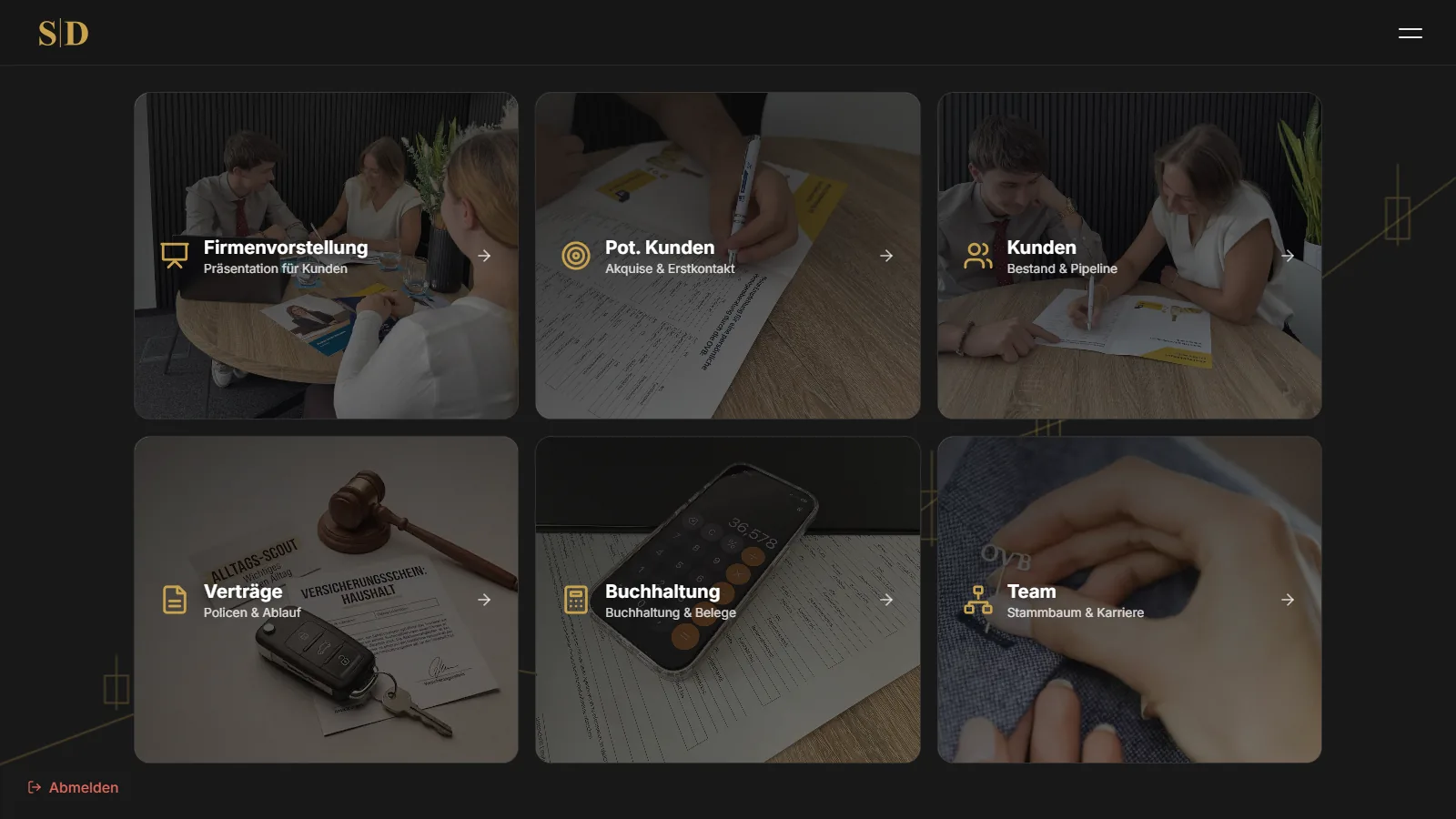
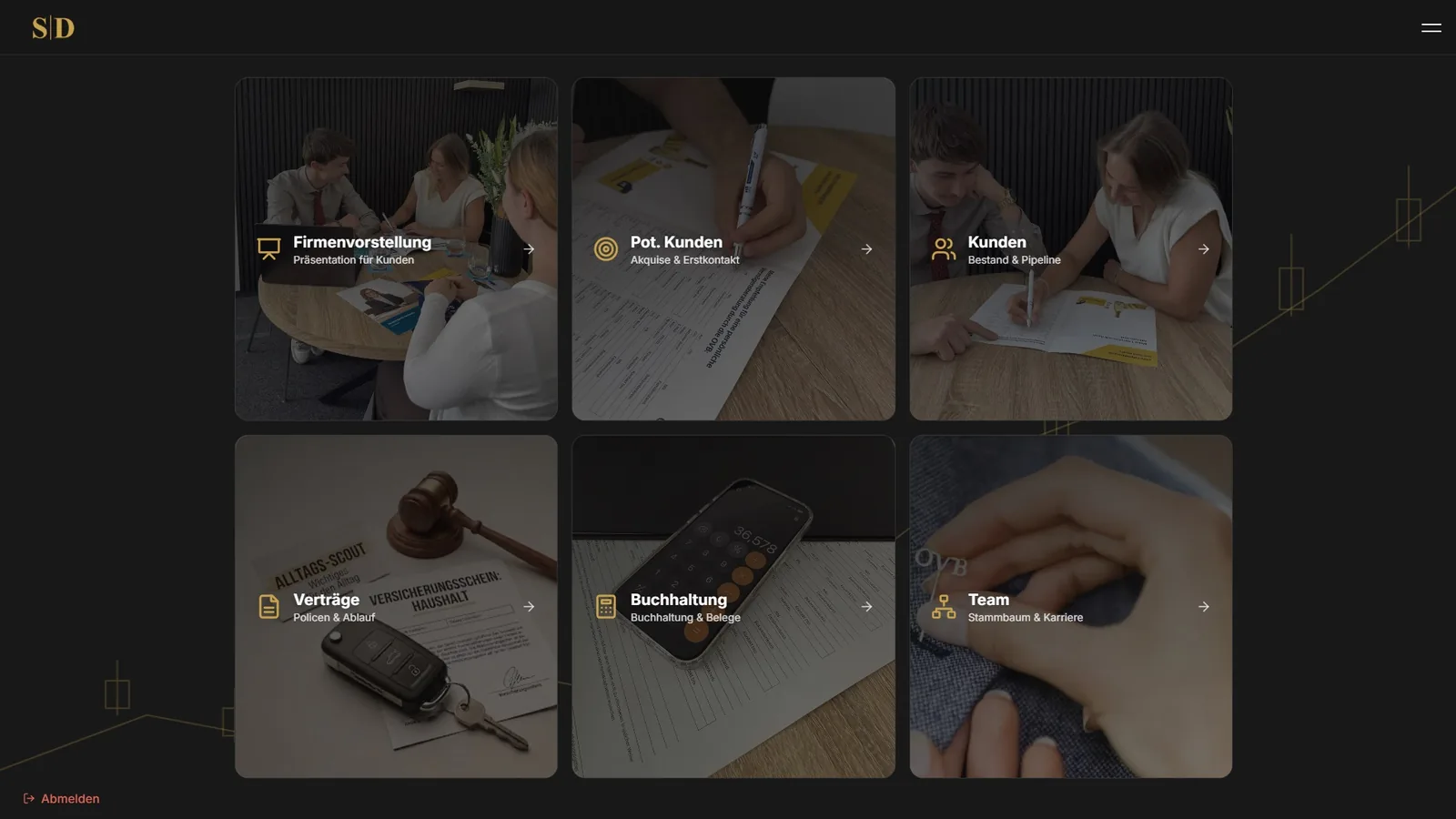
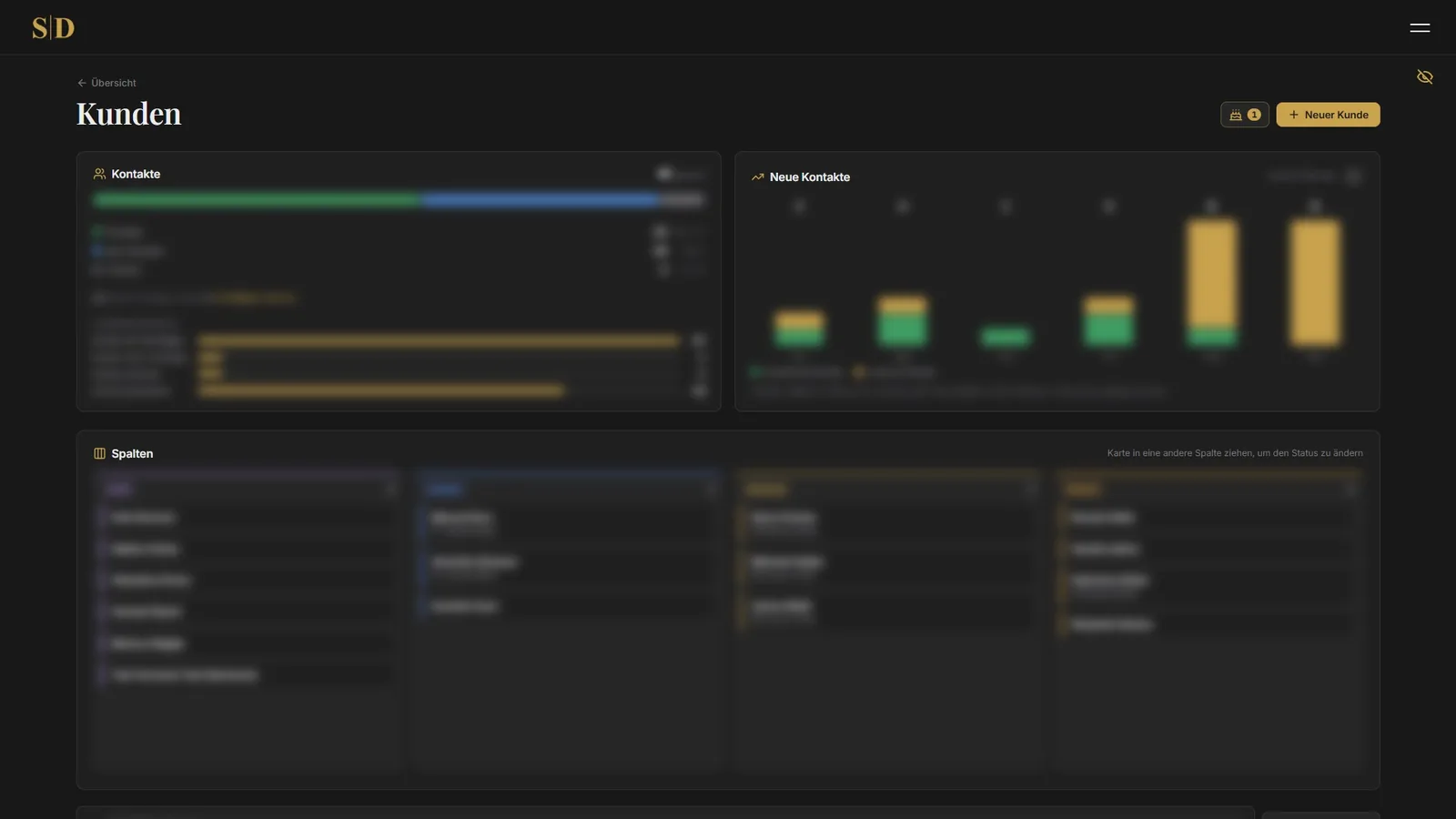
After signing in everything important sits on one page. How many contacts are in which stage, which appointments are coming up, which contracts expire soon, where a service meeting falls due and which follow up is on for today. Below that, six large tiles lead into the individual areas, each with its own photo from the office.
Prospects and enquiries from the website
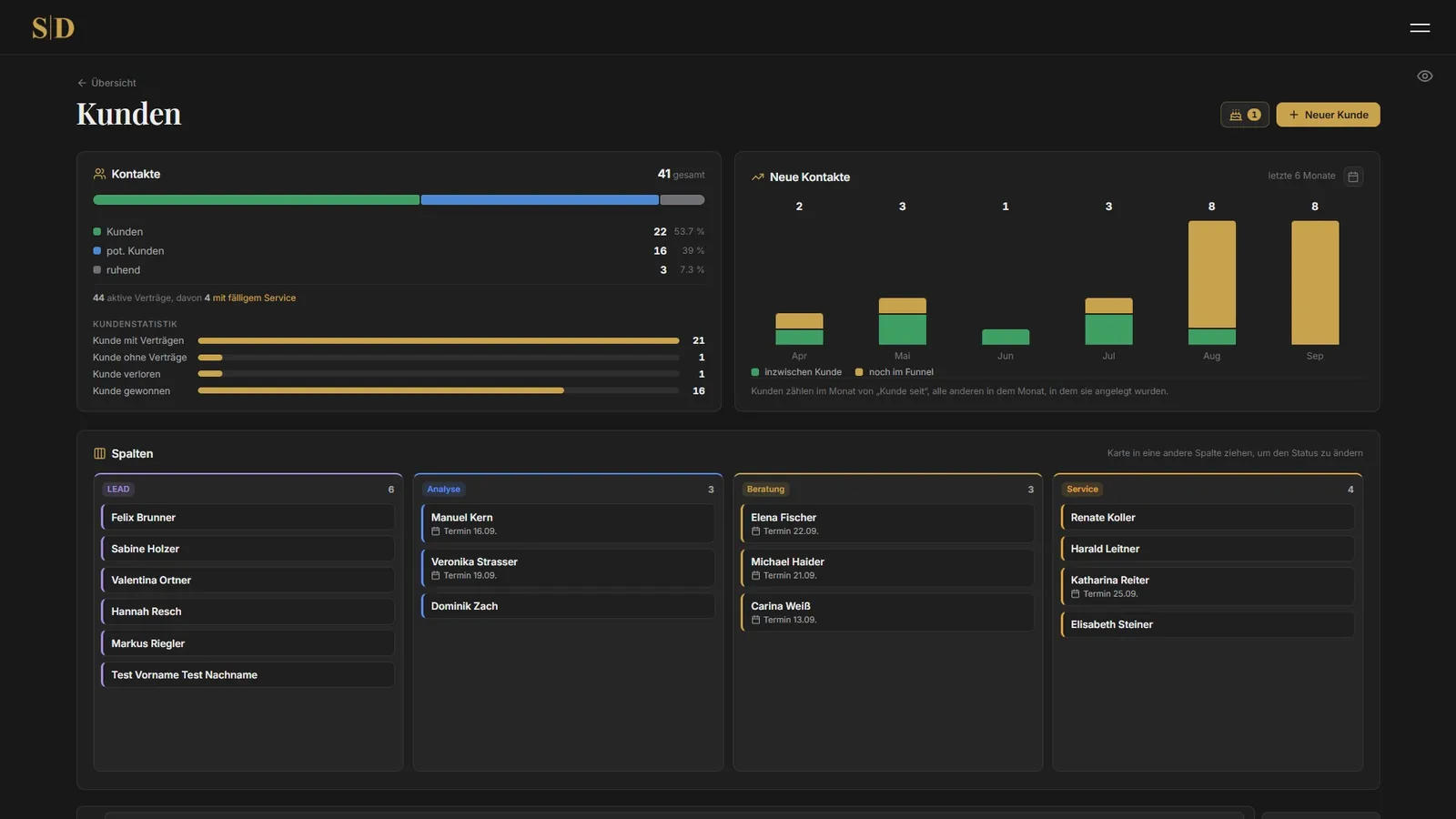
New contacts move through a funnel. Not reached, reached, analysis, and whoever becomes a client moves over into the portfolio. Every contact carries a category, an origin, notes and a history of what was discussed and when. Follow ups with a date make sure nobody is left lying around by accident.
Enquiries from stevendonke.at arrive here on their own, with the origin Website and everything the form contained. No more retyping. Website and CRM talk to each other directly, every handover is signed and valid for five minutes only, so nobody can intercept one and replay it later.
If the CRM is ever down, Steven still gets the enquiry by email and the visitor notices nothing. If an existing client fills in the form again, they are not turned back into a prospect, the enquiry simply shows up in their history.
Clients and contracts
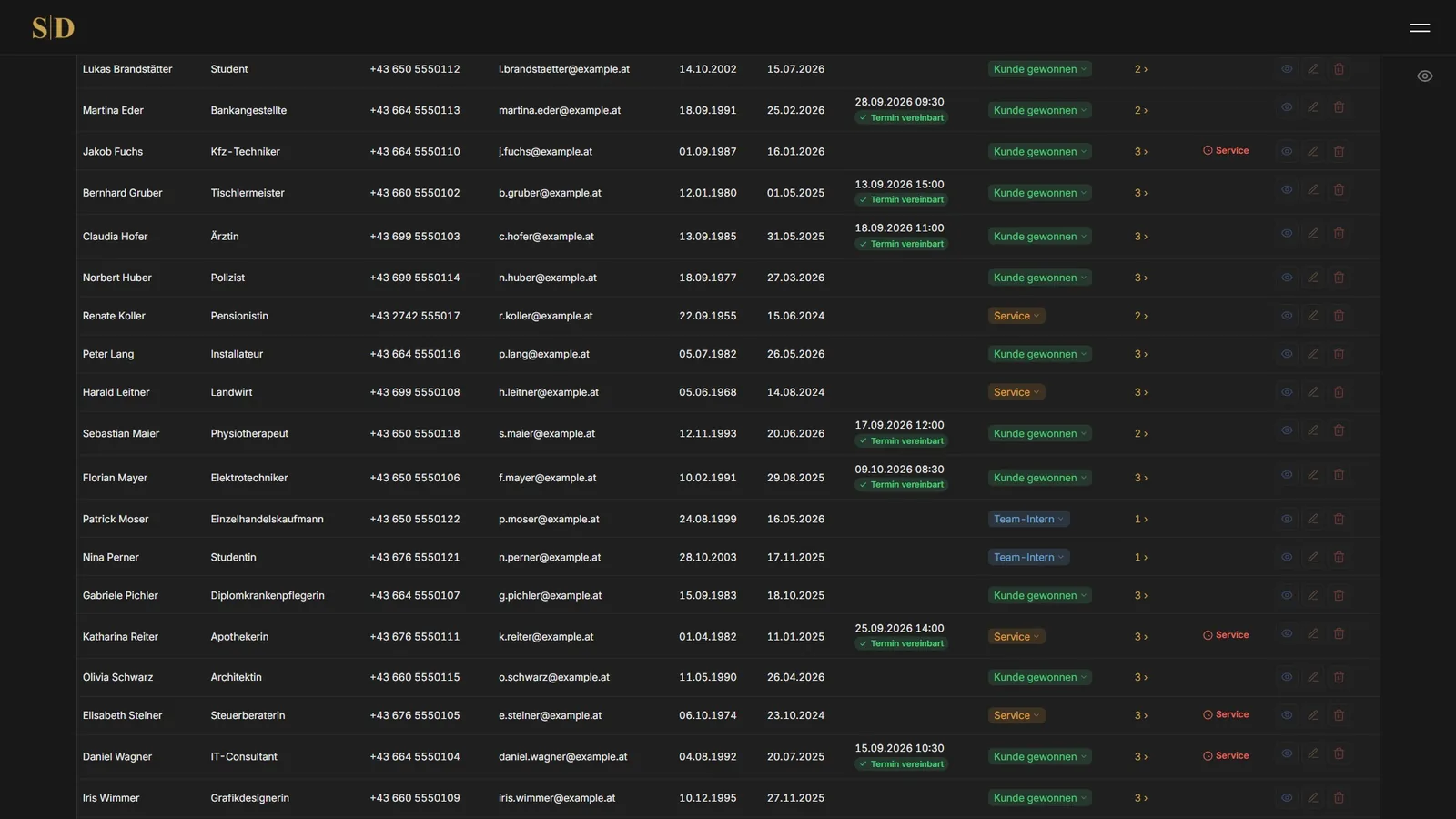
Every client carries their master data, their history, their appointments and their contracts. A contract holds the company, the type, the policy number, the term, the premium and the units, plus the distinction between own business and inherited portfolio.
The status can be switched straight from the list. On a cancellation the system asks how many units are clawed back and already suggests the figure from the liability period. Contracts whose end date has passed are set to expired on their own. Notices at the top point at everything that needs attention, and one click opens exactly those contracts in a window where they can be edited right away. Search runs across policy number, client, company, type and note.
What the client pays sits on the contract. Premium increases, higher sums insured or an added module are recorded as a change with a date and an amount, so the story of a contract stays readable.
Commission and career plan
Commission is calculated in bands, much like progressive taxation. Every career level applies only to its own range of units, the first 1,250 at the entry rate and only everything above that at the next one. The levels and their conditions come from the official OVB career plan.
Above the career plan it says how many units were written in the current quarter, what percentage of the active status that is and how far along the quarter itself already is. A marker shows today, and the last four quarters sit next to it for comparison.
Appointments
An appointment is quickly created and then takes care of a surprising amount by itself. The title is suggested to match the occasion, a renewal meeting for an expiring contract, a service meeting for an existing client, an analysis meeting for a new contact. Anyone who prefers writes their own. The client never sees this title, it helps when glancing at the calendar.
An appointment can involve several people, a married couple for example. Each of them gets a confirmation the way they prefer, by email or through WhatsApp. If two share an address, the message goes out only once.
The email carries a calendar file. When an appointment is moved, the new invitation replaces the old one in the client's calendar instead of sitting next to it. On a cancellation the entry disappears there again. At the same time every appointment lands in Steven's Google Calendar, a copy of the message goes to his own inbox, and the client gets a reminder before the meeting.
Overdue payments
If a premium stays unpaid, one button in the contact window is enough. Pick the contract, the text is already there and can be adjusted for this one case, and a preview shows exactly how the message will look to the client. It is only recorded once the message has really gone out.
After that the contact sits on service so it does not get lost. One click on done puts it back to the status it had before.
Birthdays
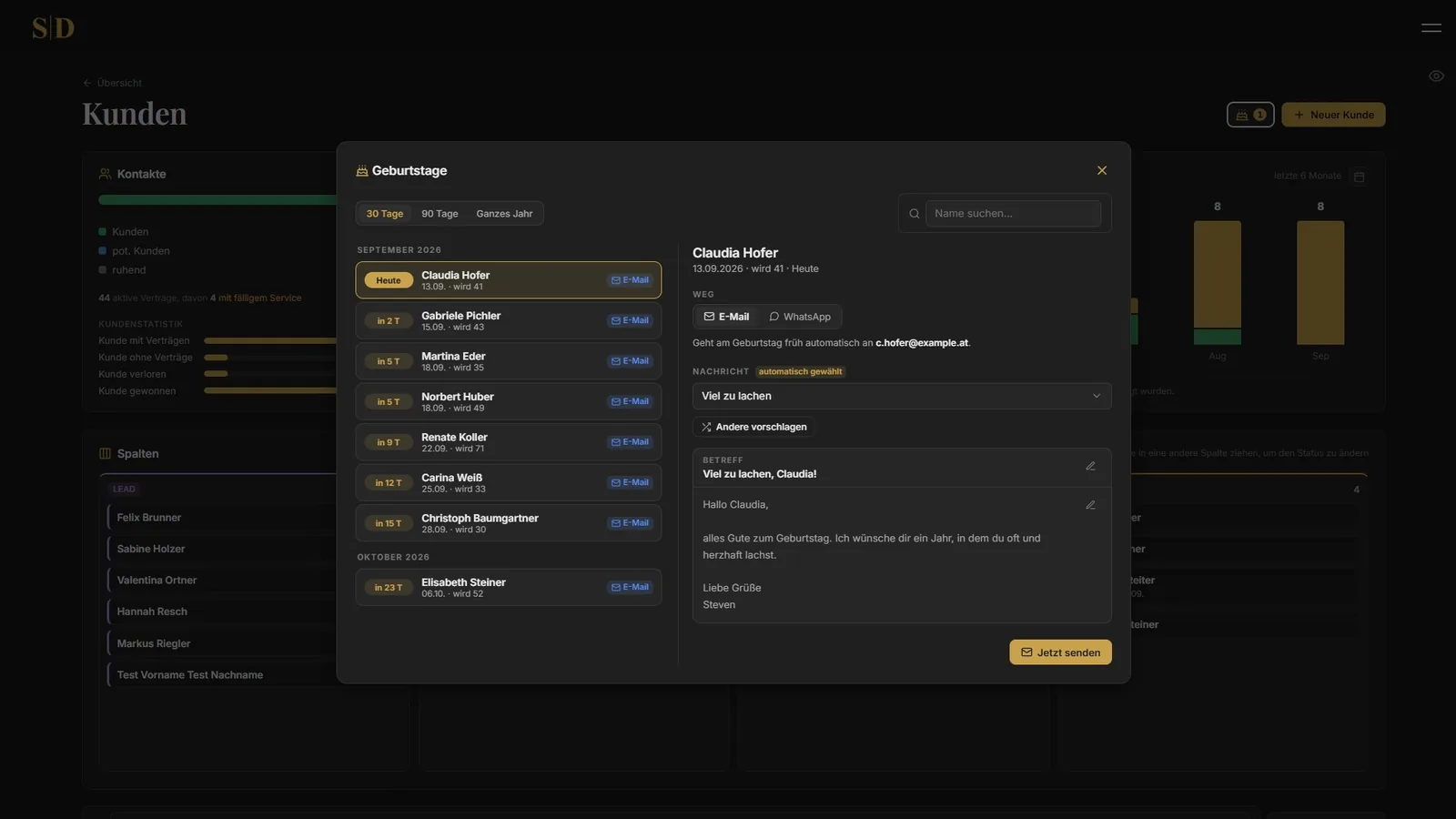
50 ready written greetings sit in the system. Every client gets a different one, and not the same one as last year. The email goes out overnight on its own, for WhatsApp one click opens the chat with the text ready. The window shows whose birthday falls when and which message is planned, and anyone who wants picks a different one.
Bookkeeping and tax
Expenses with receipts, outgoing invoices with net, VAT and gross, plus a note on what has been paid. Receipts are uploaded as a PDF or a photo. They sit outside the web folder and can only be fetched after signing in, so an address alone is no use to anyone. At the end of the year the totals are ready, and a simple calculator estimates the tax.
Team, weekly schedule and org chart
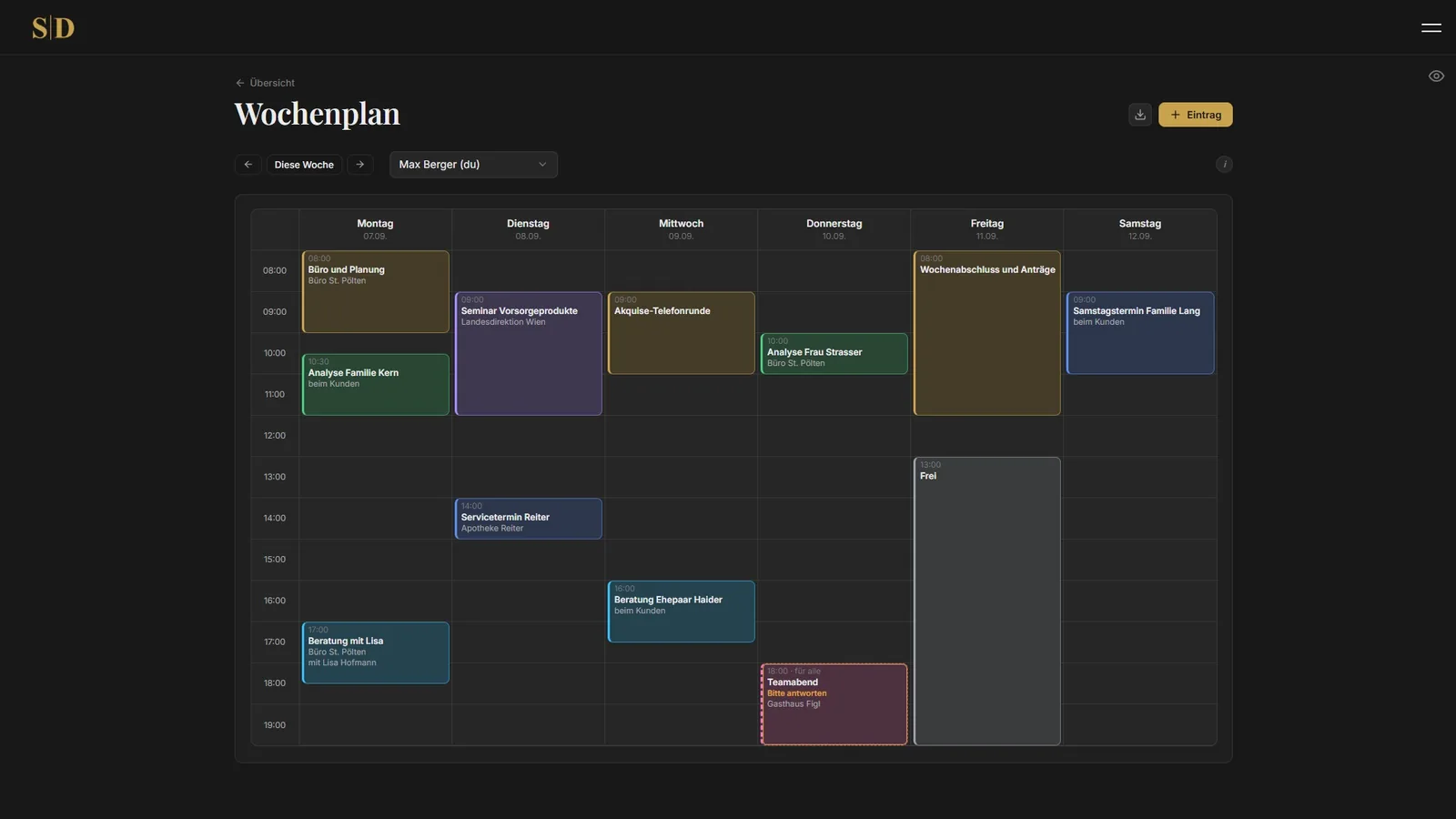
Everyone fills in their own week, Monday to Saturday. A click into the column creates an entry, and the time comes from the height of the click.
Anyone without access to all schedules sees only that a slot in somebody else's week is taken, never what for. This masking sits in a single place in the program and therefore works the same everywhere, on the page, in the interface and in the PDF.
Team leaders may also write into other people's weeks, and anyone who needs time with the leader books it along the way. If the slot is already taken, the system says so immediately. On Friday afternoon everyone who has not entered anything for the coming week gets a reminder. The week is available as a PDF in landscape, with the same masking as on screen.
Next to it sits the org chart of the team. An entry starts out as just a name. Only linking it to an account turns it into somebody who can sign in and fill in their own week.
Company presentation
For client meetings a presentation sits inside the system, nine slides in full screen. The financial life plan, the capital market, the three pillars of provision, the wealth pyramid, OVB, why us, the A.B.S. system, referrals and a thank you at the end.
Every slide is a line drawing in gold that draws itself when the slide opens. None of it is an image from the internet, it is all drawn in the browser and therefore stays razor sharp on any screen.
Feedback form and referrals
At the end of the presentation there is a QR code. Scanning it leads to a short form without any sign in, with a few questions about the meeting and the option to recommend other people. Those referrals appear as prospects in the CRM seconds later, with the category referral.
Access to that form is created only when the presentation is opened and lasts four hours. A photographed screen is worthless the next day. Each access allows three forms at most, and there is a limit per internet connection on top.
Whether a recommended person is already in the portfolio is checked quietly in the background. The visitor never learns about it, otherwise the form would be a window into the client list.
Messages to clients
Every message from the system looks like the website, dark background with gold as the accent. It always goes out twice over, once designed and once as plain text, so that something readable arrives even for people who have turned HTML off.
No logo, no decorative lines, no newsletter feel. Outlook and Gmail block remote images anyway, and a broken placeholder icon would be worse than none at all. Before a change, one preview of every kind can be sent to any address.
Data protection
The log records who touched which record and when, deliberately without any content. It exists to meet the duty of accountability, not to become a second copy of the client data.
A request under Article 15 takes one button, and everything about that person downloads as a file. Deleting a contact takes contracts, appointments, follow ups and history with it, and the log keeps nothing but the fact that something was deleted. A dedicated privacy page inside the system explains in plain language what is stored for which purpose and for how long.
Under the hood
The whole thing is built with PHP and MySQL, without a framework and without foreign building blocks that nobody maintains a few years from now. Only the folder holding the pages is within reach of the web server. Credentials, program parts and uploaded files sit next to it and cannot be reached through a browser at all.
From a phone to a large screen everything looks equally tidy, and new wishes can be hooked in without rebuilding anything.